Introduction
Agentr.ee uses a secure and transparent billing system powered by Lemon Squeezy. Whether you’re on a monthly or yearly Pro subscription, your payments, invoices, and account details are easy to view and manage. This guide explains how billing works, when you’ll be charged, and where to find your invoices and payment settings.
Step by step instructions
- Open your billing section
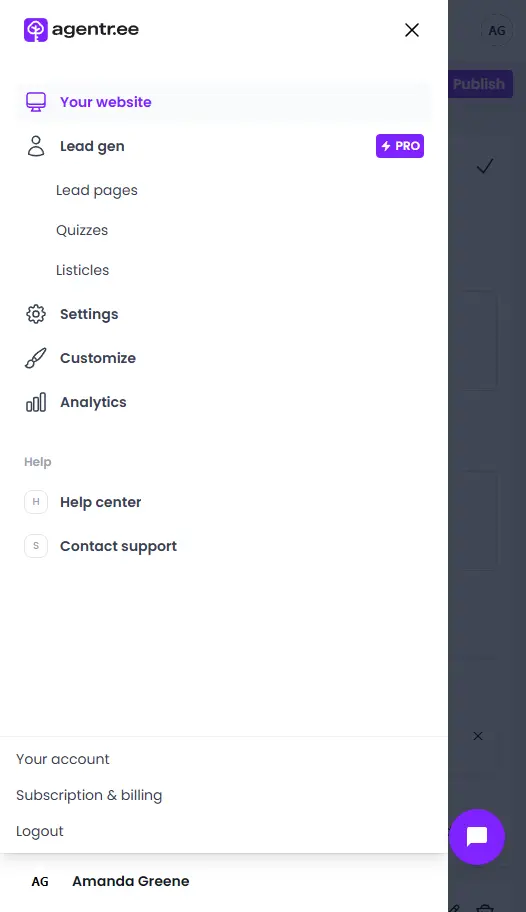
Click your avatar to open the account menu:
- On desktop, you’ll find your avatar and name in the left sidebar.
- On mobile, tap your avatar in the top header.
Then select Subscription & billing from the dropdown menu.
- View your current plan
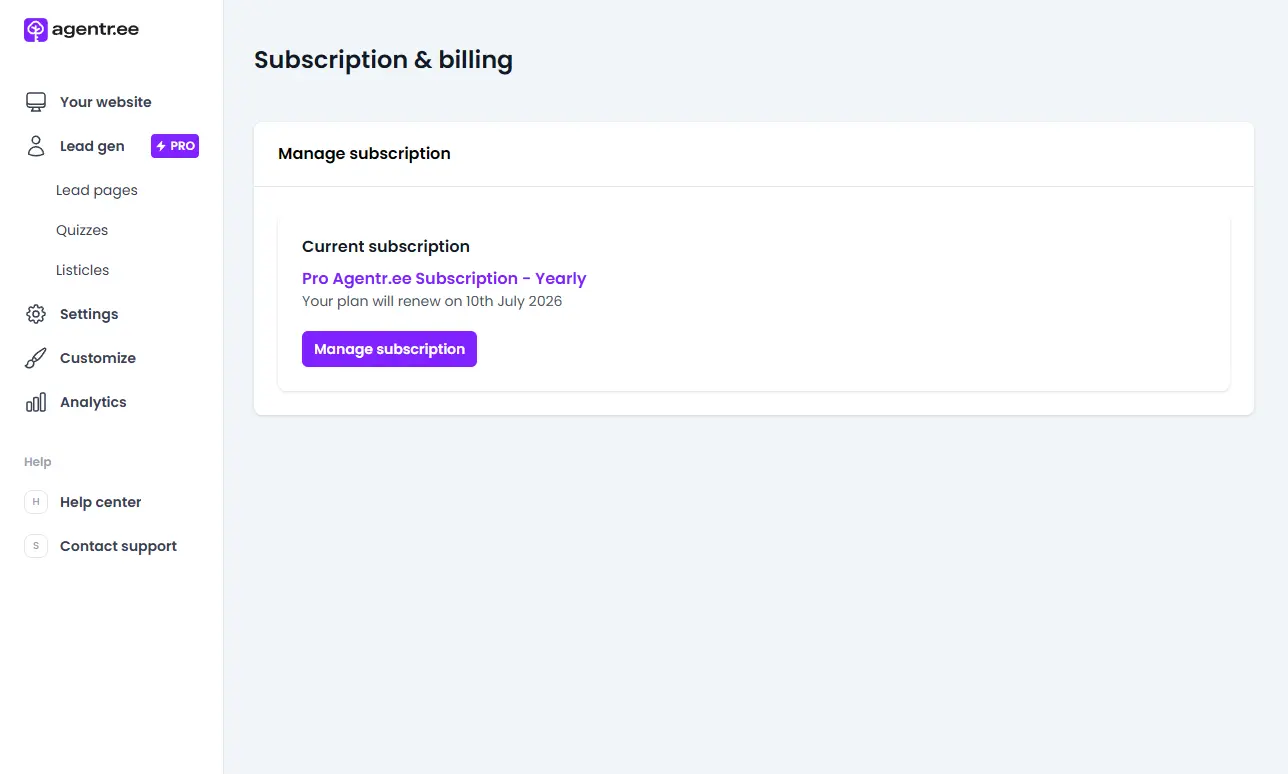
- If you’re on a Free plan, you’ll see the option to upgrade to Pro.
- If you already have a Pro plan, your active subscription details will appear, including renewal date and payment frequency.
- Open the billing portal
Click Manage subscription to open the Lemon Squeezy dashboard.
- Manage billing information
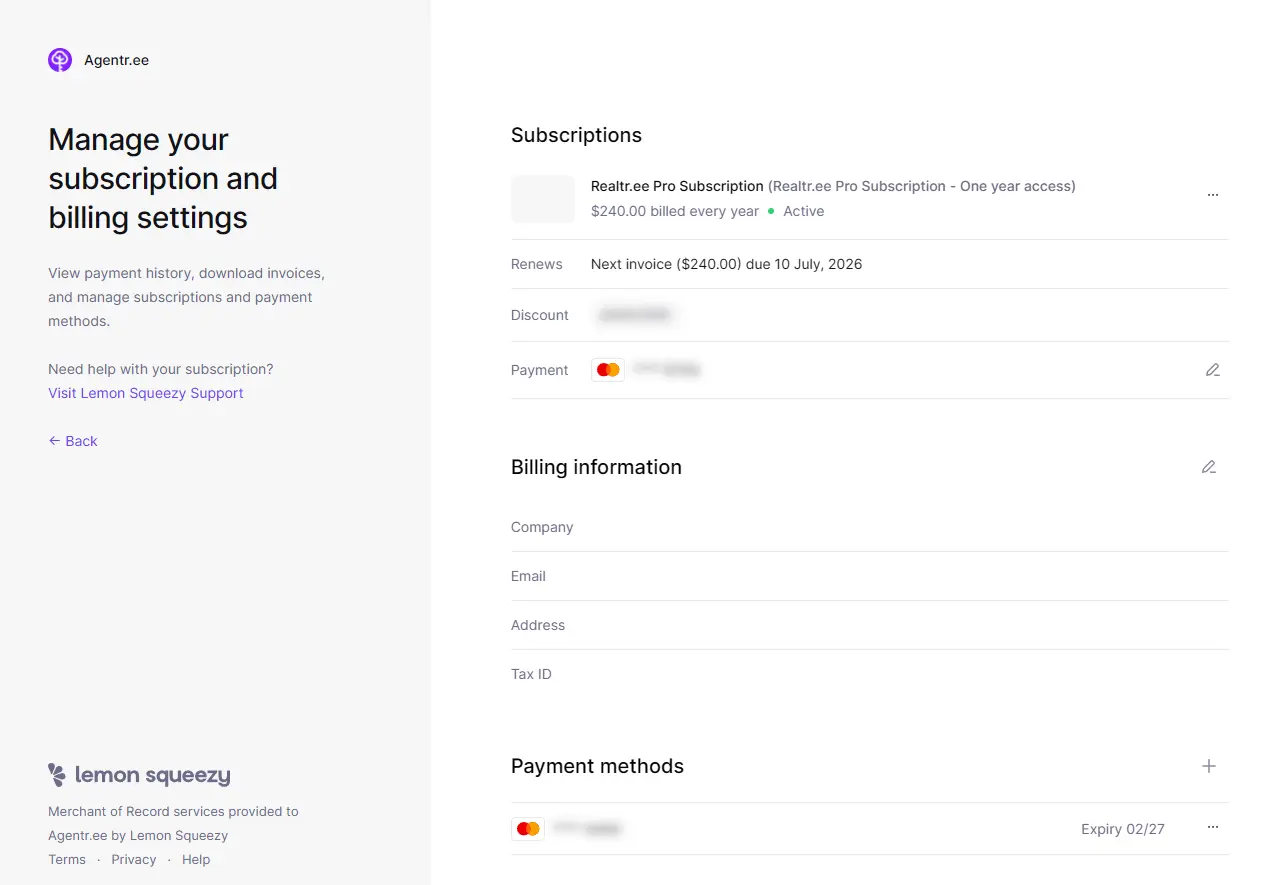
Inside the Lemon Squeezy dashboard, you can:
- View and download your invoices.
- Update your payment method or add a new card.
- Edit your billing contact details such as company name, email, and address.
- Check renewal and payment schedule
- For monthly plans, you are charged automatically every 30 days.
- For yearly plans, you are charged once per year at a discounted rate.
- Review taxes and VAT details
If applicable, enter your company and tax ID fields in the Lemon Squeezy dashboard to ensure proper tax handling and display on invoices.
- Download invoices
Under Billing history, click any listed payment to download its PDF invoice.
Pro tips
- Save your invoices regularly. This helps with bookkeeping and expense tracking.
- Switch to yearly billing to save up to 17% and receive two months free.
- Use a company card for your subscription to simplify tax reporting.
FAQ and troubleshooting
Q: When will I be charged?
A: You are charged automatically based on your selected billing cycle — monthly or yearly. Renewal happens on the same date each period unless canceled.
Q: Which payment methods are accepted?
A: Agentr.ee accepts major debit and credit cards (Visa, Mastercard, and others) through Lemon Squeezy’s secure checkout.
Q: Can I change my billing email or company details?
A: Yes. Go to the Lemon Squeezy dashboard, open your Billing information, and update your contact, company, or VAT details.
Q: Where do I download past invoices?
A: All invoices are listed under Billing history in the Lemon Squeezy dashboard. Click any invoice to download it.
Q: What happens if my payment fails?
A: Lemon Squeezy will automatically retry the charge. You’ll receive an email notification if payment fails, and your Pro features will pause until resolved.
Summary
All billing and payment activities for Agentr.ee are securely managed through Lemon Squeezy. You can upgrade, manage your subscription, and download invoices anytime from your Subscription & billing section in the app.
If you have any questions or need help with your billing and subscription, please email us at support@agentr.ee.